Database change history
The DB Change History page records each addition, update, and deletion of a record in the Privilege Secure database. Use it to answer who changed the configuration, and when.
To open it, select Auditing & Reporting > DB Change History.
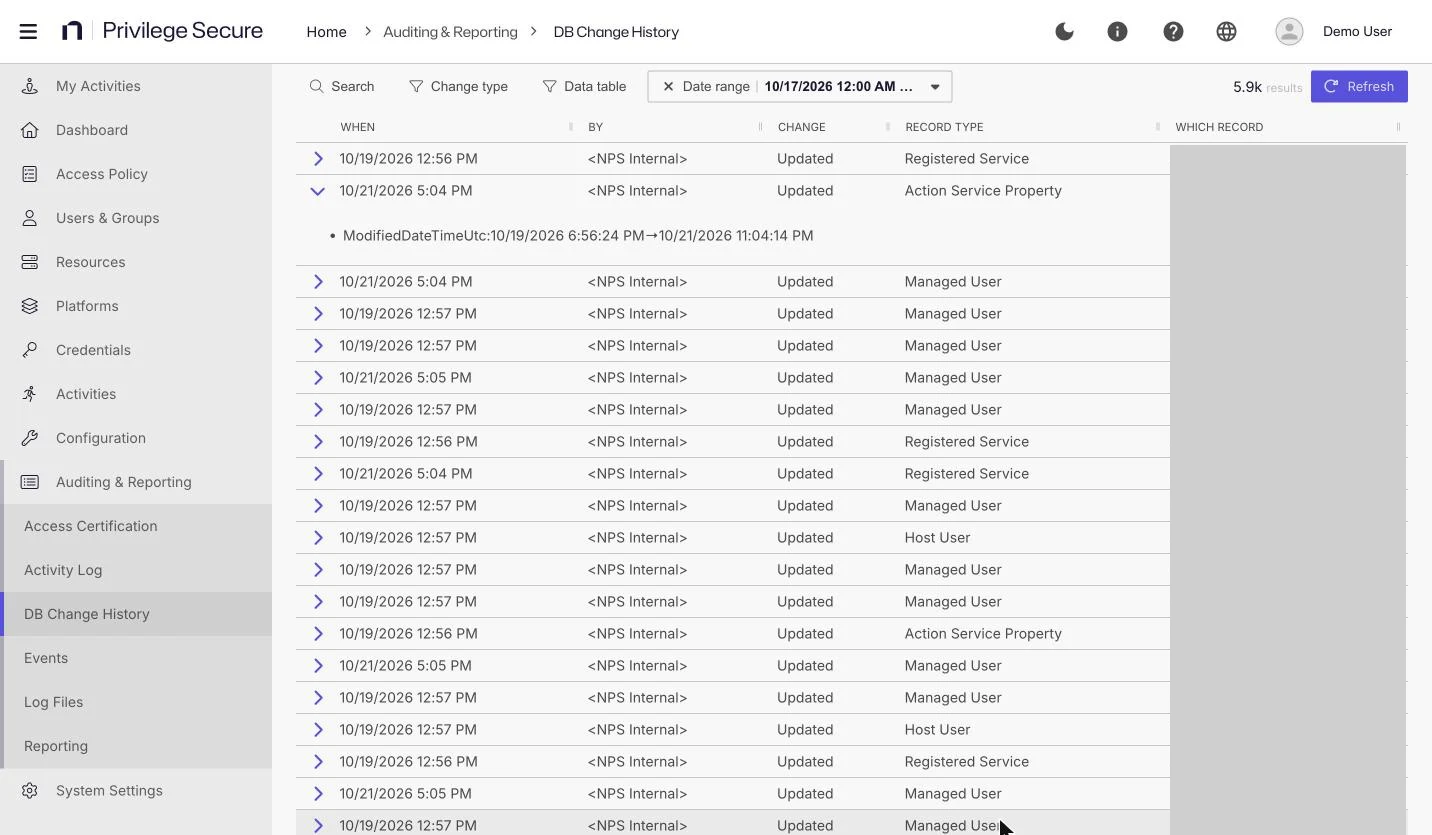
Filter the history
| Control | Description |
|---|---|
| Search | Filters the table to rows that match the text you enter. |
| Change type | Shows all changes (the default), Additions, Updates, or Deletes. |
| Data table | Limits the history to one record type, such as Access Control Policy, Action, or Action Group. The default is <all record types>. |
| Date range | Sets the start and end of the history. The default range is the last 7 days. |
| Refresh | Reloads the data. |
The toolbar also shows the number of matching changes, abbreviated for large counts (for example, 4.3k).
The default range here is 7 days. The Activity log defaults to 30 days.
Read the table
| Column | Description |
|---|---|
| WHEN | Timestamp of the change. |
| BY | The user who made the change. Changes made by the product itself show <NPS Internal>. |
| CHANGE | The type of change: addition, update, or deletion. |
| RECORD TYPE | The type of record that changed. |
| WHICH RECORD | The record that changed. Some records, such as managed users, show <unknown>. |
Select the expander at the start of a row to view its details.
The expanded row lists each field that changed. For an update, it shows the old value and the new value, for example Name: old-value → new-value. For an addition or a deletion, it shows the value only. An empty value shows as <null>.
You can sort the columns.