Dashboard
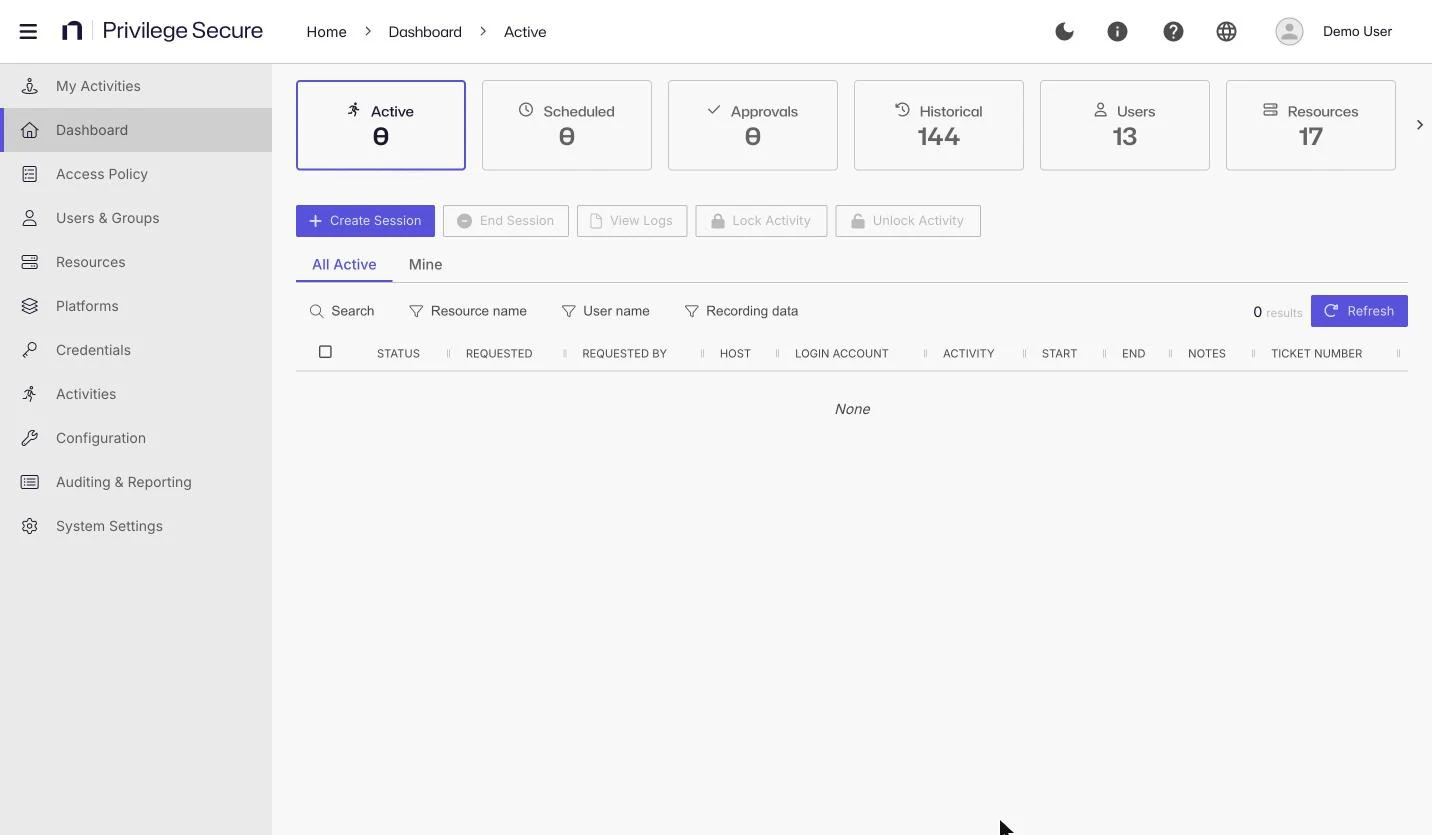
The Dashboard is the console's page for managing sessions. A row of tiles at the top shows live counts, and each tile opens a table of the matching items. Use the session tiles to follow requests from approval to completion, and use the Users, Resources, and Credentials tiles as shortcuts to pages you can also reach from the left navigation.
To open the dashboard, select Dashboard in the left navigation. The console opens the tile you used last.
Tiles
Each tile shows a count. Hover over a tile to see what the count measures, for example "pending approval" for the Approvals tile.
| Tile | Shows | Details |
|---|---|---|
| Active | Sessions that are provisioning, available, or in progress | Manage active and scheduled sessions |
| Scheduled | Sessions set to start at a later time | Manage active and scheduled sessions |
| Approvals | Session requests waiting for an approver | See Approvals |
| Historical | Completed, canceled, and failed sessions | Review historical sessions |
| Users | Users and groups that can sign in to the console | Users and groups |
| Resources | Resources that Privilege Secure manages | Resources |
| Credentials | Managed accounts and their rotation status | Credentials |
Every user who can open the dashboard sees Active, Scheduled, Approvals, and Historical. Users and Resources appear only for administrators. Credentials appears for administrators and for users whose role includes a Credentials permission. The session tile counts update as sessions change. For administrators, the Users, Resources, and Credentials counts also refresh every 60 seconds.
Every table has a Refresh button at the top right that reloads the rows. A counter next to it shows the number of results.
Approvals
The Approvals tile lists session requests that need approval before they start. Approvers are the users and groups named in an approval tier of the connection profile. See Approval workflows.
The toolbar has two buttons, which stay disabled until you select a row:
- Approve approves the selected sessions.
- Deny opens the Deny Activity Session dialog, where you can enter a reason for the denial.
For the approver procedure, see Approve or deny session requests.
Requester and session user columns
The session tables name the person who started a session in two different ways:
- The Active, Scheduled, and Approvals tables use the column REQUESTED BY.
- The Historical table uses the column SESSION USER.
Both columns show the same person. Select a name to open that user's details.
Users, Resources, and Credentials tiles
These three tiles show the same tables as the main pages, so this page doesn't repeat them.
- Users: see Users and groups.
- Resources: see Resources.
- Credentials: see Credentials.