Configure data retention
Data retention deletes old records on a schedule and doesn't archive them. Export anything you need to keep before you turn retention on.
Retention is off for every data type by default, so nothing is deleted until you turn it on.
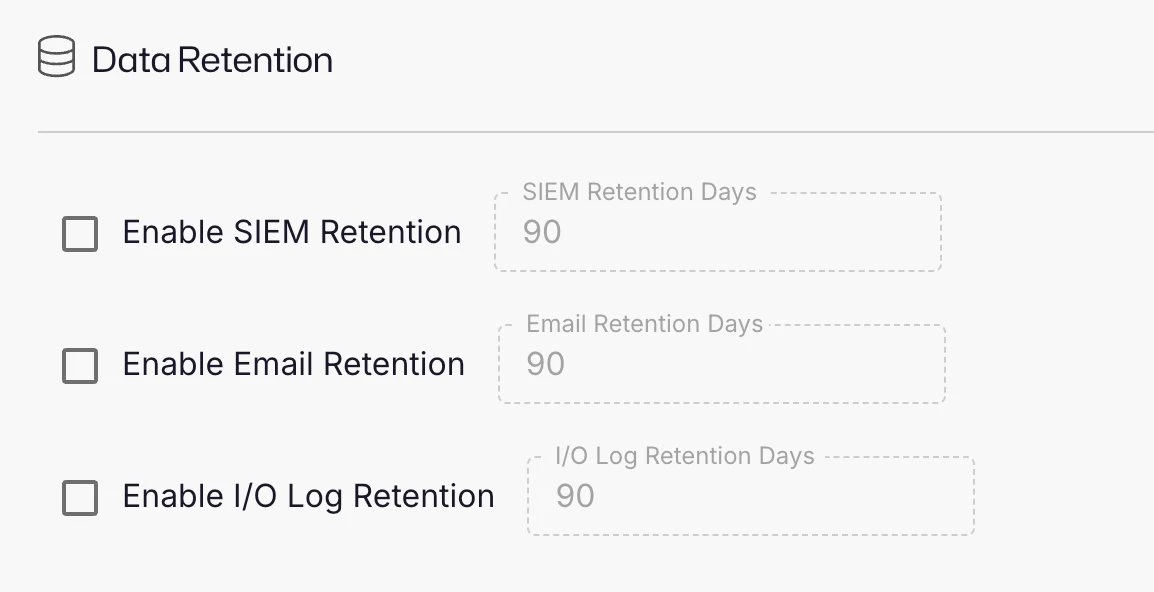
Retention settings
| Data type | Checkbox | Days field | Default days | Allowed range |
|---|---|---|---|---|
| SIEM records | Enable SIEM Retention | SIEM Retention Days | 90 | 1-3650 |
| Email records | Enable Email Retention | Email Retention Days | 90 | 1-3650 |
| Session recordings (input and output logs) | Enable I/O Log Retention | I/O Log Retention Days | 90 | 1-3650 |
The days field is available after you select its checkbox. Privilege Secure reads a stored value outside the allowed range as 90.
Turn on data retention
- Select System Settings > Data Retention.
- Select the checkbox for each data type to delete.
- Enter the number of days to keep in the matching days field. For example, enter
365in Email Retention Days to keep one year of email. - Click Save.
Deleted data can't be recovered. Privilege Secure deletes records older than the number of days you enter at the next cleanup run. Lowering the number of days can delete a large amount of data at once.
When the cleanup runs
By default, the cleanup runs when the web service starts and then every 24 hours. Each run deletes a limited number of records, so a large backlog takes several days to clear. The run deletes SIEM and email records in batches, up to 500,000 rows for each table. From Privilege Secure 26.07.3, deletion runs faster than in earlier releases.
Session recording retention
Session recording (input and output log) retention deletes session recordings from disk when they are older than the number of days you set. The session proxy reads this setting from the web service, checks for expired recordings about once an hour by default, and deletes the input and output log files that are older than the cutoff. The web service cleanup job doesn't handle session recordings. Each proxy deletes only the recordings stored on its own server.