Activate a license
A new Netwrix Privilege Secure for Access Management (Privilege Secure) installation includes a trial license. To move to your purchased license, import the license file on the About page of the Privilege Secure Console.
For how licensing works, including what consumes a license, see Licensing.
Before you begin
- Get your license file from Netwrix.
- Sign in to the console with an account that has the Administrator role.
Import the license file
-
Sign in to the console as an administrator.
-
Click your user name in the upper-right corner to open the User Options menu.
-
Select About. The About page opens.
noteDon't use the information (i) icon in the page header. It opens About third party components, which lists third-party license texts and doesn't show your Privilege Secure license.
-
In the Upload License File section, click Import License.
-
Select the license file and click Open.
The Upload License File section shows "Installed license successfully." and the page shows the new license details. If the import fails, the section shows "Error prevented license installation." with the reason. If the license is already active, the section shows "This license is already active".
After a successful import, the license banner at the top of the console no longer appears, unless the new license is a trial, has no credits left, or expires within 10 days.
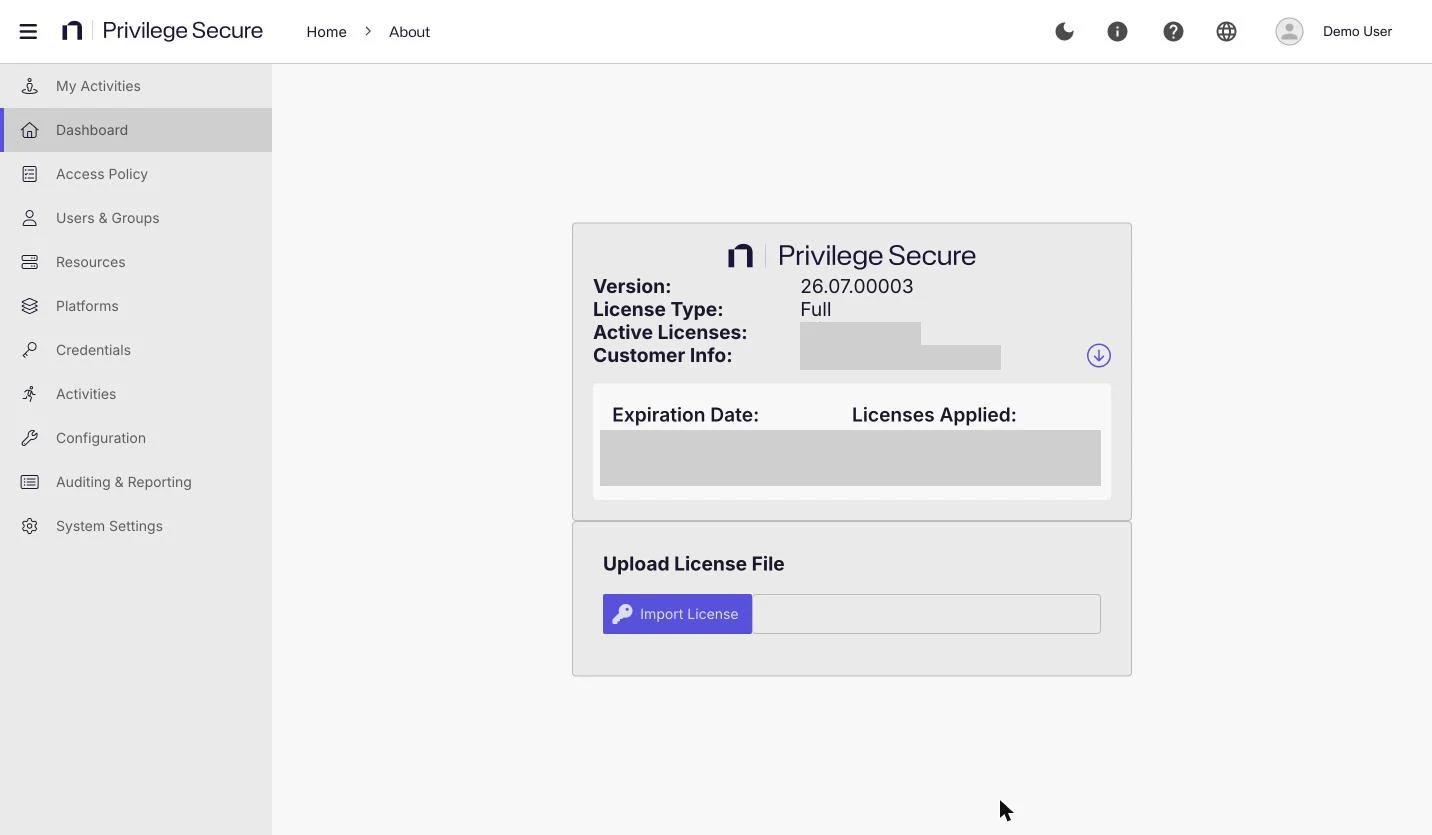
Review the license details
The About page shows:
- Version – The installed Privilege Secure version.
- License Type – Trial or Full.
- License Expires – The expiration date. It appears only for a trial license.
- Active Licenses – The number of licenses the file provides.
- Customer Info – The name of the licensed customer. Expand it to see the customer's contact details.
For a license with term-based activations, the page also lists each activation's Expiration Date and Licenses Applied.
If the import fails
A failed import shows the message "Error prevented license installation." or "Error installing license." with a short reason that doesn't always give the cause. Contact Netwrix Support and provide the message.
Expired licenses
Import a valid license file before the trial or subscription license expires. For what happens when a license expires, see Expired licenses.
Import a license from the application server
If you can't use the console, you can import the license through the license service on the application server. For the procedure, see the knowledge base article Apply a New License.